
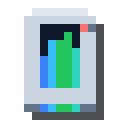
Network Analyzer
alaindustrial:network_analyzer
Summary
The Network Analyzer is a hand-held diagnostic tool — a player-friendly alternative to the /ala net command for people without operator rights. It makes and stores no energy of its own; it only reads what's happening in a network.
Right-click a cable and it shows that network's stats (not the whole world): the combined EU/FE/tick supply from producers, the combined EU/FE/tick demand of consumers, and how much EU/FE actually moved over the last tick. At the same time it draws the network in the world — cables and the devices on them are joined by lines, and animated pulses run along the lines showing the direction of energy flow, producer to consumer (a lot like the channel visualisation in Applied Energistics 2).
Mini-example: your machines went quiet and you don't know why. Right-click the cable leaving your generator with the analyzer: the actionbar shows supply and demand, and the on-world trace lights up green at the producer, orange at each consumer — so you can see at a glance whether a segment is starved or disconnected.
Energy
Uses no energy — it never connects to a network, only reads one.
Inventory
Not applicable (item). Stack: 1 (a tool, not consumed).
Block Properties
Not applicable (item).
How it works
The tool has two diagnostic modes. The chosen mode is stored on the item itself and survives world reloads.
- Traverse (default). An energy storage block counts as part of the network: the analyzer walks through it and highlights the whole connected cable system — even if, topologically, it's several separate networks joined through the storage block. Good for seeing an entire power system at once.
- Stop-at-storage. Shows exactly one network — the one the clicked cable is in; the walk stops at a storage block. Good for targeted diagnosis of a single segment.
- Shift + right-click in air or off-network (including on someone else's block) cycles the mode 1↔2 and prints the new mode's name to the actionbar.
- Right-click on a cable (Shift or not) — scans in the current mode. A click on a cable is always diagnostic; Shift doesn't switch it.
- Right-click on another network's cable — replaces the highlight with the new network.
- Right-click off-network (into air or a block with no network) — clears the highlight.
- Holding right-click on a cable gains nothing: a rescan happens at most every half second, and of the same cable every two seconds; meanwhile the picture already shown stays.
What a scan shows: the actionbar prints one line — the number of cables, sources, consumers and storages, plus supply/demand EU/FE/tick and how much EU/FE moved over the last tick. In traverse mode that is the total across all walked networks, and energy passing through a storage block counts once, not twice (once as it charges on one side, again as it discharges into machines on the other). A network that has not worked for the last second (say, its generator was removed) shows 0, not its last old value.
Notes ride on the same line: if the traverse-mode network cap is reached, "network limit" (every network walked before the cap is still shown); if the network is very large, "only the nearest points shown" — the highlight is limited to the 16,384 points nearest the clicked cable.
The item tooltip always shows a base hint with the current-mode line beneath it; the result of the last scan is stored on the tool and expands under [SHIFT]: cables, sources/consumers/storages, supply/demand EU/FE/tick, and how much was transferred last tick.
The highlight is a volumetric "beam" — a bright core inside a soft translucent sheath — always visible through walls and across several chunks. The beam's colour shifts smoothly from the one chosen in the mod settings (blue by default) at the energy source to a warm yellow at the far end; the opacity setting applies to the sheath and the cube markers, while the core and the sparks are always bright (there is no separate "through blocks" switch any more — the trace runs inside the cables and would be invisible without it). It isn't drawn in unloaded chunks, and a stretch that runs past the edge of the loaded world is drawn up to that edge. Coloured cube markers sit at the joints: green for a producer, orange for a consumer, light-blue for a storage block (the "bridge node" in traverse mode; in stop-at-storage mode, a storage block that both gives and takes energy on the same network). Wires are drawn only where the network really connects: from a machine only to cables at its energy faces — none between two machines standing side by side, none to an inert face. Sparks run along the trace wherever the network really sends energy: from a generator, a solar panel, a reactor outlet or a discharging storage block to the machines and storage blocks that need it right now. The direction comes from the same "demand map" the network distributes energy by: a far generator feeds through the near one's cables, a full storage block and a satisfied machine get no sparks, and sparks never run head-on into each other. Where energy flows nowhere (a network with no source, everything full, an isolated island) the trace is drawn statically, without sparks. The sparks follow game time and stop while the game is paused. The highlight is a snapshot taken at the moment of the click: after changing the network, click the cable again.
The highlight is cleared when you leave the world or change dimension — the old trace doesn't appear in another world or after a trip to the Nether.
The tool only reads the network — it changes nothing and doesn't affect energy distribution.
Recipes
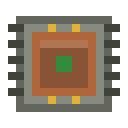
Assembled at a workbench (shaped 3×3): a tin body, an Electronic Circuit as the "brain" in the centre, and copper contacts at the bottom — thematically a power-network diagnostic device.
TTT
TCT
UUU
T — tin ingot (×5); C — electronic circuit (×1); U — copper ingot (×3).
Progression
- No energy tier — a diagnostic tool, useful from your very first network onward and increasingly handy as networks grow more complex.
Related
- Electronic Circuit — its central component.
- Tin — its body.
- Copper Cable — what you click it on.
Crafting
Shaped Crafting
▶
Network Analyzer