

Fluid Pipe
alaindustrial:fluid_pipe
Summary
The Fluid Pipe carries water, lava, oil and anything else between tanks, the pump and your machines, so you are not hauling buckets around. Except steam: it has its own Steam Pipe, and that one does not connect to a fluid pipe. Lay the pipes in a line, use the wrench to say which side draws and which side pours, and the pipe handles the rest. It needs no power.
A pipe moves one bucket per second. The pump fills slower than that, so on an ordinary line the pump is the bottleneck rather than the pipe.
Fluid genuinely travels along the pipe instead of appearing at the far end: every segment holds a small amount and hands it onward. A long run therefore fills up gradually, and you can watch the fluid front make its way down the line.
Fluid
| Property | Value |
|---|---|
| Volume per segment | 50 mB |
| Throughput | 50 mB per tick (1 bucket per second) |
| Fluids at once | one per segment |
| Power use | none |
A segment carries one fluid at a time. While it holds water, lava will not enter — you cannot build a line with two different fluids in it, and you cannot mix them by accident either.
A fluid pipe does not accept steam. Steam travels along steam pipes, which form a separate network: a steam pipe and a fluid pipe do not connect even when they touch, so water and steam lines can run side by side. For the same reason a fluid pipe does not reach for the top of a reactor column — only steam comes out of there.
The per-segment volume is small on purpose: a pipe moves fluid, it does not store it. For storage there is the tank.
Breaking a pipe loses whatever was inside it. That is less than half a bucket per segment, and in exchange there is no spill to clean up.
Sides and the wrench
Sides work exactly like the item pipe — same wrench, same order — so there are not two sets of rules to remember.
| Mode | What it does | How it looks |
|---|---|---|
NEUTRAL | Plain connection. | simple sleeve |
EXTRACT | Draws fluid from the neighbouring tank or machine. | wide funnel, orange end |
INSERT | Pours fluid into the neighbouring tank or machine. | narrow spout, teal end |
DISABLED | Switches this side off. | no sleeve |
The usual tank-to-tank setup: EXTRACT on the side facing the first tank, INSERT on the side facing the second.
Shift+right-click with the wrench does not configure sides — that dismantles the pipe, as it does with any block of the mod.
Pipe to pipe
Where a pipe meets another pipe there is nothing to draw from or pour into — it is simply part of the route. The wrench there only toggles "joined" and "cut". Cut it and join it back, and the line works again.
Joining half-blocks
When the neighbour is a low one — a garden drone station, a charge pad, any half-block added later — the pipe drops its arm to meet it: a short spur at line height turns into a riser that hugs the neighbour's side instead of hanging in the air above it. The face's mode is read from above: the collar sits on the nozzle's top plate rather than on its mouth, which is buried in the neighbour. The fluid's colour shows through a dropped arm exactly as it does through a level one.
The pipe recognises a low neighbour from its own shape rather than from a list of blocks, so half-blocks added later connect the same way. Ordinary blocks are joined exactly as before, and the up and down connections are untouched.
Block properties
The pipe is not a full cube: a 4×4×4 core in the middle of the block (6 to 10 on each axis) plus a sleeve towards every connected side. Placed and broken with a pickaxe, hardness 0.2, blast resistance 0.5, copper sound. The block does not occlude light and you can see neighbouring blocks through it.
The fluid shows through the casing, coloured by whatever is flowing: water blue, lava orange, oil black. Fluids from other mods show in their own colour too.
Flowing fluid washes the pipe away, just like a vanilla torch or redstone: if water spreads into the pipe's cell, the pipe drops as an item, and lava destroys it without a drop. Do not run a pipe where water can spread — next to a pump's pool, for instance; wall the water off. This is about water and lava loose in the world: whatever flows inside the pipe does it no harm.
Recipe
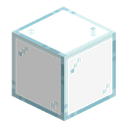
Six silver ingots ringed around a block of glass — corners empty — yielding eight pipes. The glass is not decorative — it is what lets you see the contents.
Progression
The basic LV-tier pipe. Inside a reactor room it is replaced by the Reinforced Fluid Pipe: a working reactor melts an ordinary pipe into lava. The Steam Pipe, for the reactor's exhaust, is made from a fluid pipe. Planned next: a filtering one (passes only a chosen fluid).
Related
- Portable Tank — fluid storage
- Pump — draws fluid from the world
- Item Pipe — same wrench, same side modes
- Wrench
- Advanced Fluid Pipe — the second grade: twice the fluid, a thicker body
- Reinforced Fluid Pipe — the same pipe for the reactor room
- Steam Pipe — for the steam a fluid pipe does not carry
Crafting
Shaped Crafting

▶
×8Fluid Pipe
Used in
Shaped Crafting

▶
 ×4
×4Advanced Fluid Pipe
Shaped Crafting

▶
Tap
Shaped Crafting
▶

Reactor Inlet
Shaped Crafting

▶
 ×6
×6Reinforced Fluid Pipe
Shaped Crafting
▶
 ×2
×2Steam Nozzle
Shaped Crafting

▶
 ×4
×4Steam Pipe