
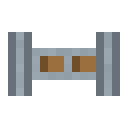
Item Pipe
alaindustrial:item_pipe
Summary
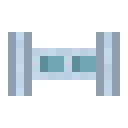
The Item Pipe carries things between chests and machines so you don't have to run them across yourself. Lay a line of pipes from one chest to another, tell it with the wrench where to take from and where to put — and it works on its own. It needs no power.
A pipe moves 2 items per second. That's a touch slower than a hopper, so a full stack takes about 32 seconds. In exchange it runs any distance, branches, and lets you set each side — a hopper does none of that. Want speed: that comes with later pipes.
If a pipe pulls from several chests (or feeds several), it takes them in turns — nobody is left out.
The advanced pipe
The second tier carries twice as much — 4 items per second — and has a page of its own: Advanced Item Pipe. Remember the main thing: a line runs at the speed of its slowest pipe, so one ordinary pipe forgotten in the middle of an advanced line cuts the whole line back to the old two.
Sides and the wrench
Every side of a pipe has a role. Point at the side you want and right-click it with the wrench: the role switches to the next one. Only the side you clicked changes, and what it became is printed at the bottom of the screen.
| Mode | What it does | How it looks |
|---|---|---|
NEUTRAL | A plain connection: takes and gives. | plain sleeve |
EXTRACT | Takes things out of the chest or machine next to it. | wide mouth, orange tip |
INSERT | Puts things into the chest or machine next to it. | narrow nozzle, teal tip |
DISABLED | Turns this side off entirely. | no sleeve |
You read the role straight off the block, nothing to open: an orange mouth takes, a teal nozzle gives, and a disabled side simply has no sleeve.
On the advanced pipe the mouth and the nozzle are coloured all over rather than on the tip alone. The reason is simple: its body is wide to begin with, so "wider than the body" reads worse on it than on the slim one — the colour gives back what the thickness ate.
The usual chest-to-chest setup: EXTRACT on the side facing the first chest, INSERT on the side facing the second. That's it — the items are moving.
The main rule: configure nothing and the pipe decides; configure any side and the pipe does exactly what you configured. The moment any side on the line is given a role (EXTRACTorINSERT), every untouched side becomes just a stretch of the route: it neither takes nor gives. So "EXTRACT on the first chest, second one untouched" moves nothing — give the second sideINSERT. One glance then tells you whether the line is finished: there is a mouth and there is a nozzle. Two chests with both sides left onNEUTRALwill move nothing, and that is not a fault.NEUTRALmeans "takes and gives", so on such a line both ends are a source and a destination at once: whatever one hands over, the other would hand straight back. The pipe recognises that pair and leaves it alone — otherwise the items would ride back and forth forever. If you want a transfer, assign the sides:EXTRACTwhere you take from,INSERTwhere you put. You do not need to do this with a machine: it sorts its slots by side (ore goes into the input, the product comes out of the output), so "chest ↔ machine" with both sidesNEUTRALworks exactly as you would expect — what comes back is a different item, not the same one.
A pipe never loses or duplicates anything: if the destination chest is full, the item stays where it is and the pipe just waits for room.
Shift-right-click with the wrench does not set sides — that dismantles the pipe, like any block of this mod.
Pipe to pipe
Where a pipe meets another pipe there is nothing to take or give — it's just a stretch of the route. So the wrench only toggles joined ↔ cut there, and no mouth or nozzle is drawn: a run of pipes stays smooth.
Joining half-blocks
When the neighbour is a low one — a garden drone station, a charge pad, any half-block added later — the pipe drops its arm to meet it: a short spur at line height turns into a riser that hugs the neighbour's side instead of hanging in the air above it. The face's mode is read from above: the take/give marking sits on the nozzle's top plate rather than on its mouth, which is buried in the neighbour and cannot be seen.
The pipe recognises a low neighbour from its own shape rather than from a list of blocks, so half-blocks added later connect the same way. Ordinary blocks are joined exactly as before, and the up and down connections are untouched — there the arm already arrives where it should.
Block Properties
Flowing fluid washes the pipe away, just like a vanilla torch or redstone: if water spreads into the pipe's cell, the pipe drops as an item, and lava destroys it without a drop. Do not run a pipe where water can spread — next to a pump's pool, for instance; wall the water off.
Recipe
6 silver ingots ringed around an iron gear — corners empty — gives 8 pipes.
Advanced pipe: 4 basic pipes on the sides, 4 cupronickel reinforced plates in the corners, a silver plate in the centre — gives 4 advanced pipes. Basic pipes are part of the recipe, so the second tier cannot be reached around the first.
Related
- Wrench — sets each side, and takes the pipe back apart.
- Iron Gear — the crafting core.
- Silver — the body of the pipe.
Crafting
Shaped Crafting

▶
×8Item Pipe
Used in
Shaped Crafting
▶
 ×4
×4Advanced Item Pipe