

Component Repair Bench
alaindustrial:component_repair_bench
Summary
The Component Repair Bench restores worn wind mill rotors and water mill wheels instead of making you craft new ones. One repair clears the wear, costs one item of the grade's material plus EU/FE — and permanently lowers that part's maximum durability by 20 % of its original value.
The point is a choice, not free maintenance: repairing is cheaper in metal, but a part gets exactly four repairs, after which the bench refuses and it has to be replaced anyway.
Energy
| Field | Value |
|---|---|
| Role | consumer |
| Buffer (EU/FE) | 800 |
| Max input (EU/FE/tick) | 32 (LV) |
| Max output (EU/FE/tick) | n/a |
| EU/FE/tick | 8 |
Energy is accepted on every face except the front: that is the working face, and neither a cable nor a hopper connects through it.
Processing
| Field | Value |
|---|---|
| Recipe type | none — the bench uses no recipes |
| Duration (ticks) | 1200 / 2400 / 3600 — exactly 1 / 2 / 3 minutes (by grade) |
| Auto-output | true — a hopper collects the finished part |
The bench has no recipes on purpose: a repair does not turn one item into another, it changes the properties of the same item in the slot. What is repaired, and with what, by code and config.
| Grade | Material (1) | EU/FE per repair | Ticks |
|---|---|---|---|
| Plain | iron plate | 9,600 | 1200 |
Reinforced (*_reinforced) | tempered iron plate | 19,200 | 2400 |
Advanced (*_advanced) | electronic circuit | 28,800 | 3600 |
A rotor and a wheel of the same grade repair identically: the price follows the grade, not the family. Overclocker chips work as they do in any other machine — shorter operations, higher draw.
Inventory
| Slot | Accepts | Count |
|---|---|---|
| Material (left) | iron plate, tempered iron plate or electronic circuit | stack |
| Component (right) | any grade of rotor or wheel | 1 |
The component sits on the right, where other machines put their output slot, and that is not a layout mistake: a repair produces no new item, so the part goes in and comes out of the same slot. The arrow shows the material on the left being consumed into the component on the right.
Automation. A hopper may only insert what the bench can actually work on — a worn part with repairs left. It may only extract what the bench has finished with: a repaired part, or one that has used up its allowance. So a "hopper in, bench, hopper out" line works and never loops. By hand you may insert any part, including a spent one — otherwise you could not read why it is being refused.
Interface
- Type: container
- Shows: the energy bar on the left, the material slot, a progress arrow, the component slot, and a status line under the slots.
The status line is never blank. On an empty bench it asks for a worn component; after that it names the single reason for the hold: "Nothing to repair", "Repair limit reached", "Needs repair material" — or "Repairing" while it works.
Translucent ghost items in the empty slots show what belongs there: the three materials cycle on the left, the rotor and the wheel on the right. Once a component is loaded the left ghost stops cycling and shows exactly the material that grade needs.
Hovering the arrow stands in for the recipe-viewer entry this machine cannot have: it prints the repair cost, how much durability the repair burns, and how many repairs the component has left.
Block Properties
| Field | Value |
|---|---|
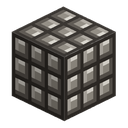
| Shape | full cube |
| Hardness | 3.0 |
| Blast resistance | 6.0 |
| Tool | pickaxe |
| Drops with energy NBT | false |
Sound
While a repair runs, the bench rings with soft rhythmic hammer taps on a small anvil — the loop (pattern A, default 0.35). It falls silent when idle.
Recipes
- Craft — three iron plates on top, a machine casing in the middle, an electronic circuit below, iron ingots at the sides.
- No recycling recipes.
Progression
- Tier: LV.
- Evolves into: nothing.
- Requires: a machine casing, an electronic circuit and iron plates — so the bench arrives after the first machines, once enough mills are running for their upkeep to have become a chore.
Related
- Wind Mill Rotor — the consumable the bench restores.
- Water Mill Wheel — the second consumable.
- Wind Mill and Water Mill — the machines that wear these parts out.
- Forge Hammer — the mod's only other item that lives on durability; it is repaired at an anvil, not here.
Crafting
Shaped Crafting


▶
Component Repair Bench